- Run-Chicken vs ChickenGuard comes down to setup style: Run-Chicken doors are configured in a phone app; ChickenGuard uses an LCD and buttons, with no app or Wi-Fi.
- Every Run-Chicken model is a complete aluminum door. Most ChickenGuard models are motors for a door you supply; the Premium kit and Blue AIO add a door.
- Run-Chicken lists battery life (a minimum of 1 year on 2 AA for the T50 Special Edition; 5+ years for the Eternal’s built-in solar battery). ChickenGuard lists lift capacity and a -4°F lower limit on the PRO and Blue AIO.
- ChickenGuard lists a 3-year warranty; Run-Chicken lists 1 year.
Run-Chicken vs ChickenGuard is a common shortlist for anyone automating a chicken coop door. Both open and close on a schedule or with daylight, both list an obstruction safety feature, and both can run without mains power. What differs is how you set them up and what you bolt onto the coop: a slim, self-contained aluminum door you program from your phone, or a compact motor box that lifts a vertical door by cord.
We compared the two brands using only their official listings: control method, door type, power, battery and solar figures, temperature ratings and warranty. We did not install or run these doors. Where a listing gives no figure, the table says “not listed”.
Run-Chicken
All-in-one aluminum sliding doors set up through a phone app, on AA batteries or built-in solar
BrowseChickenGuard
LCD-and-button door openers that lift a vertical door by cord, plus a complete door kit and solar bundles
BrowsePicks from each side
Run-Chicken
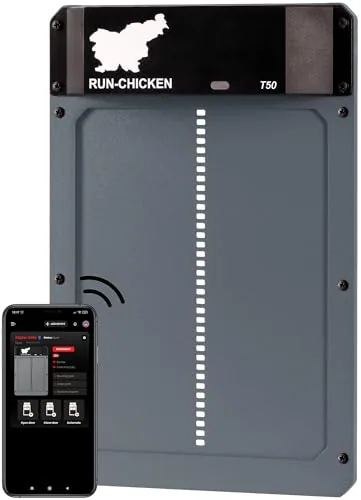
RUN-CHICKEN T50 Automatic Coop Door, Aluminum
- Power
- Battery
- Trigger
- App, timer or light sensor
- Connectivity
- Bluetooth app
Best for App-controlled door schedules
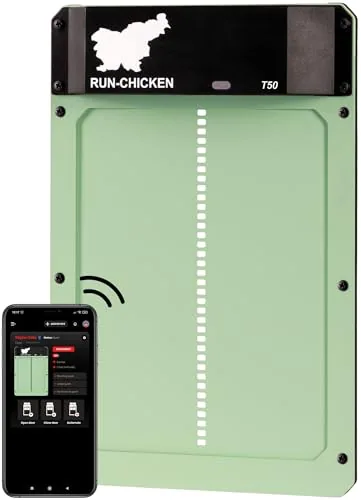
RUN-CHICKEN T50 Special Edition Coop Door, Mint
- Power
- Battery (2x AA included)
- Trigger
- App or timer
- Material
- Aluminum
Best for Quick installs without wiring
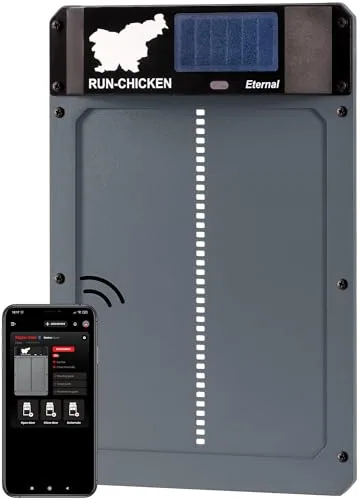
RUN-CHICKEN Eternal Solar Automatic Coop Door
- Power
- Built-in solar with battery backup
- Trigger
- App, timer or sunrise/sunset
- Material
- Aluminum
Best for Sunny runs without battery swaps
ChickenGuard
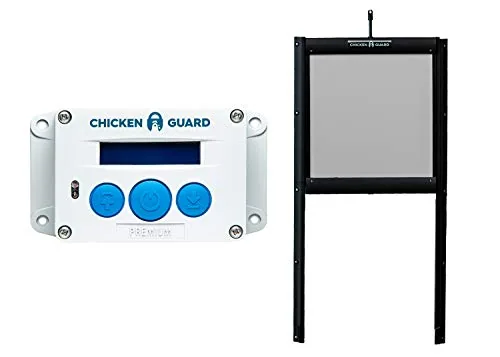
ChickenGuard Premium Opener with Self-Locking Door Kit
- Power
- Battery
- Trigger
- Timer or light sensor
- Predator lock
- Self-locking pop-hole door
Best for Retrofitting a secure pop hole
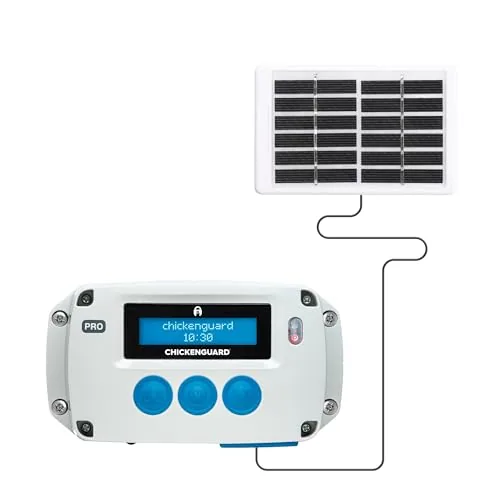
ChickenGuard PRO Solar Coop Door Opener and Panel Kit
- Power
- Solar with NiMH batteries
- Trigger
- Light sensor and timer
- Lift capacity
- 2 kg (4.4 lb)
Best for Off-grid coops with heavier doors
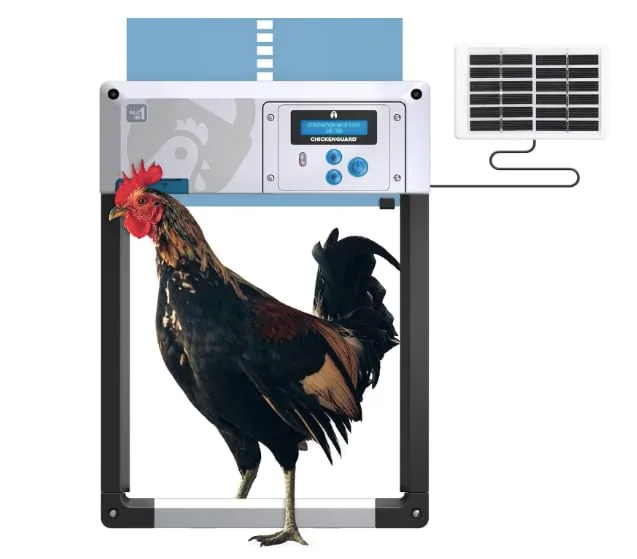
ChickenGuard Blue AIO Coop Door and Solar Kit Bundle
- Power
- Solar
- Trigger
- Timer or light sensor
- Predator lock
- Anti-lift aluminum door
Best for Coops without a power outlet
Run-Chicken vs ChickenGuard: specs from the listings
Listed specs
| Product | Power | Trigger | Material | Lift capacity | Battery life |
|---|---|---|---|---|---|
| RUN-CHICKEN T50 Automatic Coop Door, Aluminum | Battery | App, timer or light sensor | Aluminum | — | — |
| RUN-CHICKEN T50 Special Edition Coop Door, Mint | Battery (2x AA included) | App or timer | Aluminum | — | Minimum 1 year (maker) |
| RUN-CHICKEN Eternal Solar Automatic Coop Door | Built-in solar with battery backup | App, timer or sunrise/sunset | Aluminum | — | — |
| ChickenGuard Premium Opener with Self-Locking Door Kit | Battery | Timer or light sensor | — | 1 kg (2.2 lb) | — |
| ChickenGuard PRO Solar Coop Door Opener and Panel Kit | Solar with NiMH batteries | Light sensor and timer | — | 2 kg (4.4 lb) | — |
| ChickenGuard Blue AIO Coop Door and Solar Kit Bundle | Solar | Timer or light sensor | — | — | — |
Specs as listed by the maker or seller; check the listing before you buy.
Feature check
| Feature | Run-Chicken T50 / T50 SE | Run-Chicken Eternal | ChickenGuard Premium kit | ChickenGuard PRO Solar |
|---|---|---|---|---|
| Door included | ✓ All-in-one aluminum | ✓ All-in-one aluminum | ✓ Self-locking door kit | ✗ Motor only |
| Setup | Phone app | Phone app | LCD and buttons | LCD setup wizard, buttons |
| Timer | ✓ | ✓ | ✓ | ✓ |
| Light sensor | ✓ (SE also lists GPS mode) | ✓ Sunrise/sunset | ✓ Adjustable LUX | ✓ Sunrise/sunset |
| Power | Battery (SE: 2 AA included) | Built-in solar plus battery | 4 AA included; optional USB | Solar kit, NiMH batteries |
| Obstruction safety | ✓ Anti-pinch sensor | ✓ Stops if a chicken is under it | ~ Not listed | ~ Self-diagnostics listed |
| Cold rating | ~ Not listed | ~ Not listed | ~ Not listed | ✓ Down to -4°F |
| Warranty | 1 year | 1 year | 3 years | 3 years |
Source: Run-Chicken and ChickenGuard listings
Listed warranty
Years, as stated on each listing
App control or buttons: which is easier?
Run-Chicken puts the settings in its phone app: you choose timer or light-sensor mode and set open and close times there, and the Special Edition listing adds a GPS mode and manual control. That is handy if you like adjusting times from the kitchen, and the T50 listing describes Bluetooth app connectivity. If you share chores with family, everyone who changes settings needs the app.
ChickenGuard deliberately skips the app. The PRO listing describes an LCD setup wizard with large, glove-friendly buttons and modes for timer, sunrise/sunset light sensor, DualSafe (closes at sunset or a preset time, whichever comes first) and manual. The Premium has a full LCD and a button for manual open and close. If phones and coops don’t mix for you, that is a real plus.
All-in-one door or a motor for your own door?
Every Run-Chicken model is a one-piece aluminum door listed at 13.8 × 9.4 × 1.3 in. The Special Edition listing says installation takes no more than 10 minutes with the included screws, on a coop or a run, with no wiring. Check the listing’s door opening against your largest bird before you buy.
ChickenGuard’s Standard and PRO motors lift a vertical door you already have by a cord, which is ideal for converting an existing guillotine pop hole. The Premium lists a 1 kg (2.2 lb) lift and the PRO lists 2 kg (4.4 lb), so a heavy plywood door suits the PRO. If you have no door yet, the Premium comes with a self-locking pop-hole kit, and the Blue AIO bundle includes an anti-lift powder-coated aluminum door.
Battery, solar and winter performance
Run-Chicken leans on long battery life. The T50 Special Edition lists a minimum of 1 year on two included AA batteries, with a swap taking no more than 3 minutes. The gray T50 listing describes a rechargeable battery lasting up to 1 year in cold weather and 2 years in warm climates. The Eternal has a built-in solar panel that recharges a battery listed to last 5+ years with regular use. Note that the two T50 listings describe the battery differently, so confirm which version you are buying.
ChickenGuard lists cold limits instead. The PRO Solar is rated down to -4°F (-20°C), with a solar panel kit, four NiMH batteries and a 9.8 ft cable; the Blue AIO is listed from -4°F to 140°F and has a Winter Mode for extra starting power against frost or ice. The Premium runs on 4 AA batteries with a low-battery warning.
Whatever you buy, frozen tracks are the usual winter problem. Check the door on the first icy mornings, keep snow off the sill and read our winter care guide.
Who should choose which?
Run-Chicken is the better fit if you…
- want a complete, slim door that mounts on a coop wall or run panel in minutes;
- like setting and changing schedules from a phone app;
- want the longest listed battery life, or built-in solar with no separate panel (Eternal);
- keep a small flock in a mild to moderate climate.
ChickenGuard is the better fit if you…
- already have a vertical door and only need a motor;
- need a strong lift (2 kg on the PRO) for a heavy door;
- prefer buttons and an LCD to an app;
- face winters near -4°F, the PRO and Blue AIO’s listed limit;
- want a 3-year warranty.
Mistakes to avoid
- Closing before the last hen is in. Light sensors trigger on brightness, not on headcount. Watch a few evenings and set a later close time if needed.
- Mounting the door where snow drifts. A door that cannot slide fully closed is not closed.
- Mixing up versions. Run-Chicken’s T50 listings differ on battery type; ChickenGuard’s Standard is timer-only and the PRO has no door.
- Treating the door as the whole predator plan. Add hardware cloth over vents and windows and a secure run; see the predator guide.
- Skipping a weekly door check. Add it to your flock care checklist with the battery or panel check.
Comparing more brands, including JVR, Omlet and budget solar doors? See the best automatic coop doors and the coop automation category.
Choose Run-Chicken for a fast, all-in-one aluminum door you control from your phone, with long listed battery life or built-in solar on the Eternal. Choose ChickenGuard to automate a door you already have, lift a heavier door, skip the app and get a listed cold rating and 3-year warranty; the PRO Solar is the pick for off-grid winters, the Premium kit for a fresh pop hole.