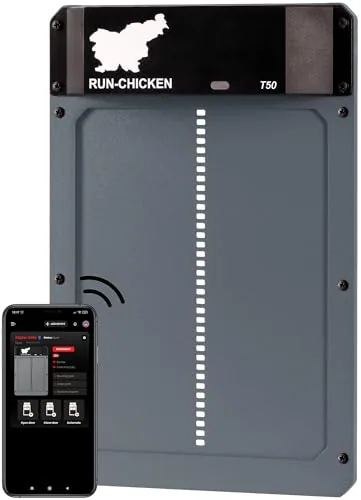

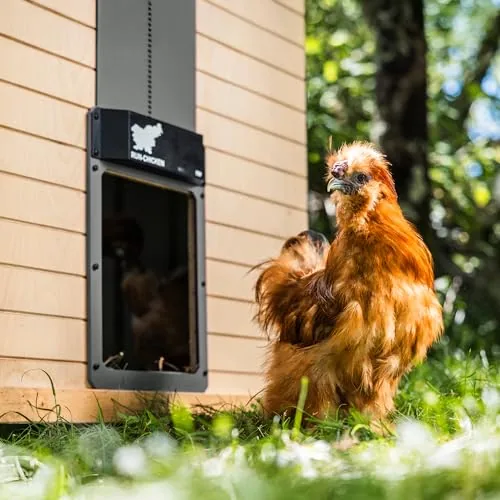
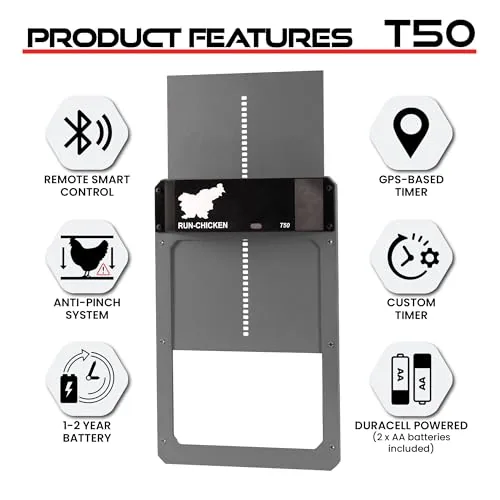
- Passage 8 × 10 in; door 9.5 × 14 in; 24 in tall when fully open; 1.8 lb (Run-Chicken).
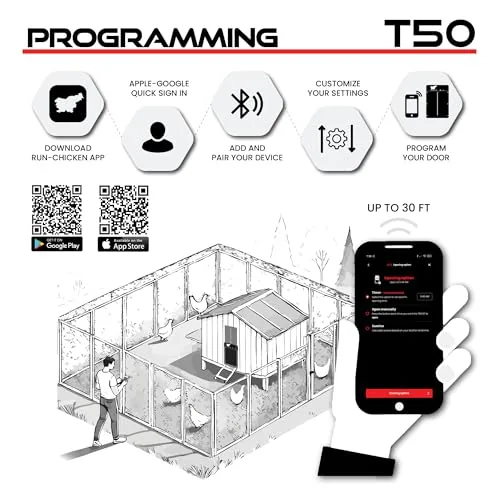
- App control over Bluetooth: sunrise/sunset mode with offsets up to 60 minutes, timer or manual.
- Two AA batteries; maker cites about 1 year typical battery life.
- Motor lock against lifting, anti-pinch reversing and a Power Mode for ice.
- 1-year warranty with online registration within 30 days (Run-Chicken FAQ).
This Run-Chicken T50 door review covers the gray aluminum T50 automatic chicken coop door on this listing. Run-Chicken also sells a Special Edition color and a solar model called the Eternal. The T50 is one of the more compact battery doors: motor, door and frame come as one piece, so there is no separate cord, pulley or runner kit to align.
We used Run-Chicken’s product page, FAQ and the listing, plus extension advice on predators and winter care. We did not install one. Follow the T50 instructions on Run-Chicken’s site for your mounting.
Who it’s for, and who should skip it
- Keep standard-size hens that fit comfortably through an 8 × 10 in opening
- Like setting schedules and checking door status and battery level in an app
- Want a one-piece door with no cord, pulley or separate runners
- Want a motor lock and anti-pinch reversing built into the door
- Have no power at the coop and want a long interval between battery changes
- Keep large breeds such as Brahmas, Jersey Giants or big Orpingtons, or turkeys
- Want to open or close the door remotely from work over Wi-Fi
- Have less than about 24 in of wall height at the pop hole
- Prefer a longer warranty than one year
Pros and cons
- One-piece aluminum door with built-in motor and frame
- App control: sunrise/sunset with offsets, timer or manual
- Shows door status and battery level in the app
- Motor-locking system resists predators lifting the door
- Anti-pinch mode stops and reverses on resistance
- Power Mode boosts motor force for ice, snow and debris
- Runs on two AA batteries, with about a year of typical life per the maker
- 8 × 10 in passage may be tight for large breeds
- Bluetooth app means adjusting it from near the coop
- Needs about 24 in of vertical space when fully open
- One-year warranty, and you must register within 30 days
- No operating temperature range is stated
Specs
| Power | Battery |
|---|---|
| Trigger | App, timer or light sensor |
| Material | Aluminum |
| Connectivity | Bluetooth app |
As stated by the maker or seller; confirm on the listing before you buy.
How does the Run-Chicken T50 work?
The T50 is a vertical door. A motor in the top of the frame lifts the aluminum panel to open and drives it down to close, then holds it with what Run-Chicken calls a motor-locking system. That means the door cannot simply be pushed up from below. The anti-pinch mode stops the door and reverses it if it meets resistance on the way down. That protects a hen caught in the doorway, and also stops the motor straining against a stick or frozen bedding.
Settings live in the Run-Chicken app, which connects to the door over Bluetooth. Intelligent Sunrise and Sunset mode, which replaced the earlier separate GPS and light-sensor modes, opens the door 15 minutes after sunrise and closes it 15 minutes after sunset by default. Each offset can be adjusted by up to 60 minutes. Timer mode uses fixed times, and manual mode opens or closes on demand. The app also shows door status and battery level and delivers feature updates.
Will your chickens fit through the T50?
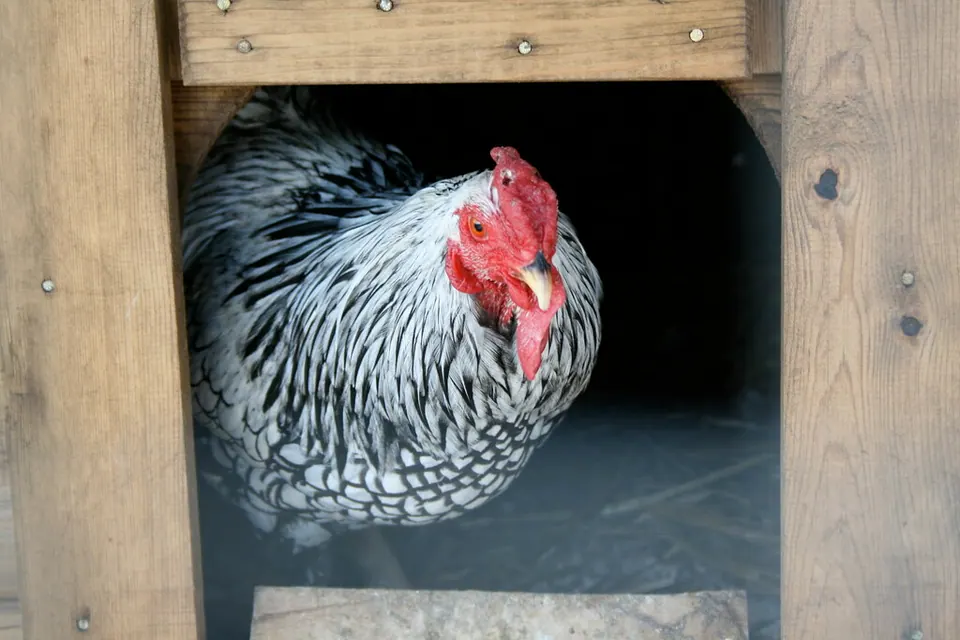
This is the question to answer before buying. Run-Chicken gives the passage as 8 × 10 in, which is the clear opening your birds walk through, not the 9.5 × 14 in door panel. Most standard laying hens pass through a pop hole that size. Heavy and tall breeds, and especially big roosters with full tails, can find it tight. Hold a tape measure up to your largest bird, or cut an 8 × 10 in hole in a piece of cardboard and watch whether she walks through without crouching.
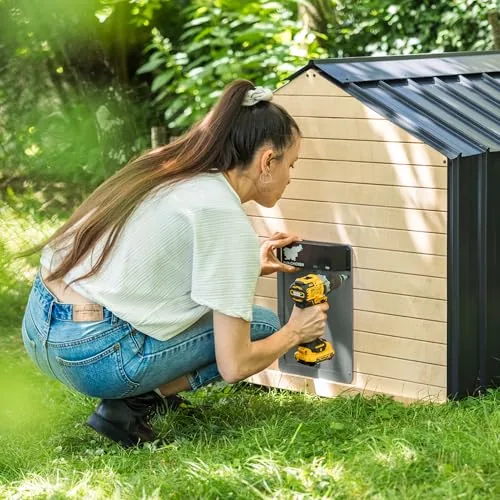
Height matters on the wall too. Run-Chicken lists 24 in at full open, so you need that much flat wall or mesh above and including the pop hole. The box includes six wood mounting screws. The listing says the door is designed for chicken runs and coops.
Installing and setting up the T50
- Check fit and space
Confirm your birds fit an 8 × 10 in passage and that you have about 24 in of flat mounting height.
- Fit the batteries
The box includes two AA Duracell batteries, per Run-Chicken. The listing describes a long-lasting rechargeable battery, so check which cells your unit uses and follow the manual.
- Mount the door
Center it over the pop hole and fix it with the supplied wood screws. Keep it square so the panel runs freely.
- Pair the app
Install the Run-Chicken app, pair over Bluetooth near the coop and pick sunrise/sunset, timer or manual mode.
- Set the closing offset
Start with the default 15 minutes after sunset. If a late hen gets locked out, extend the offset.
- Register the warranty
Run-Chicken’s FAQ says the 1-year warranty needs online registration within 30 days of purchase.
Battery figures differ by source. The maker’s product page gives about one year typical on two AA batteries. The listing describes a rechargeable battery lasting up to a year in cold weather and two years in warm climates. Treat either as a best case. Cold, frequent manual cycles and Power Mode all use more energy, so check the battery level in the app before winter.
Winter and predators: what the door can and cannot do
Run-Chicken says the powder-coated aluminum door is designed to withstand heat, cold, snow and icing. Its Power Mode increases motor force to get through ice, snow and debris. Even so, keep the bottom of the opening clear. A ridge of frozen bedding stops any door closing fully, and anti-pinch will then reverse it, leaving the coop open. Check it on the first hard-frost evenings. See how to keep chickens warm in winter for ventilation and water.
The motor lock covers the pop hole. It does nothing for chicken-wire windows, loose nest-box lids or gaps under the coop. Use hardware cloth, two-step latches and a buried apron around the run as described in how to protect chickens from predators. Add a nightly headcount to your flock care checklist.
Run-Chicken T50 vs ChickenGuard and Omlet
ChickenGuard Premium is a cord-lift opener with a separate self-locking door and an LCD screen, but no app. Omlet’s Autodoor slides sideways, fits Eglu Cube and Pro coops directly and has safety sensors, but also no app on the battery version. The T50 is the most self-contained of the three, and the only one here with app schedules and battery status. Its smaller passage is the main reason to pass. Read Run-Chicken vs ChickenGuard, then best automatic chicken coop doors or best solar coop doors if you would rather skip batteries.
Browse the coop automation hub for doors, lights and cameras, or start at the first flock hub if this is your first coop.
Alternatives worth a look
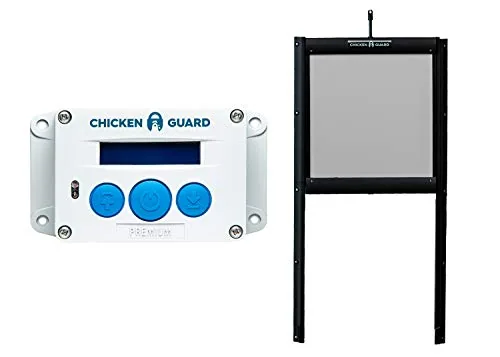
ChickenGuard Premium Opener with Self-Locking Door Kit
- Power
- Battery
- Trigger
- Timer or light sensor
- Predator lock
- Self-locking pop-hole door
Best for Retrofitting a secure pop hole
Why consider it: ChickenGuard Premium uses a timer or LUX light sensor and comes with a self-locking 10 × 12 in aluminum door, with a 3-year warranty.
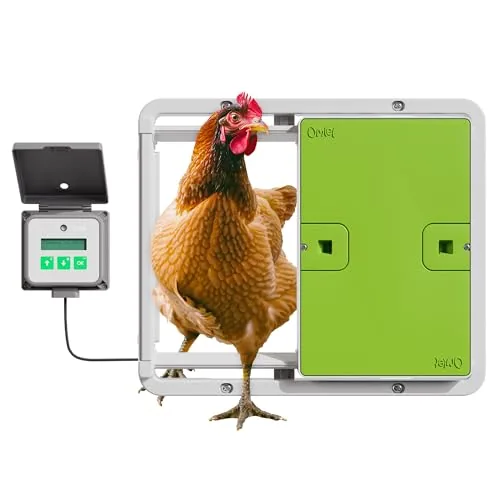
Omlet Autodoor Automatic Coop Door Opener
- Power
- Battery
- Trigger
- Light sensor or timer
- Safety
- Built-in safety sensors
Best for Eglu owners and small coops
Why consider it: Omlet Autodoor slides sideways where wall height is short and has built-in safety sensors; buy it from Omlet’s official listing.
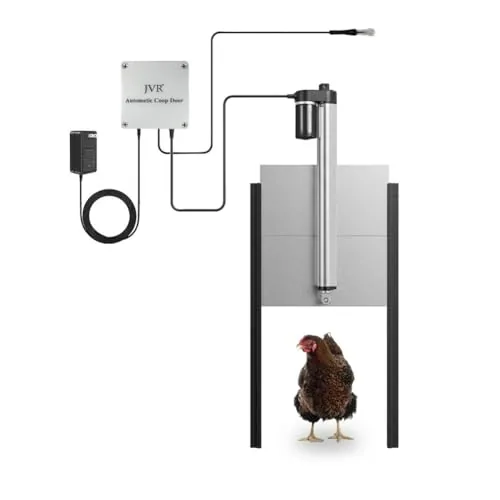
JVR Light-Sensor Automatic Coop Door, Aluminum
- Power
- Battery
- Trigger
- Light sensor
- Door size
- 11 x 12 in opening
Best for Doors that follow the seasons
Larger opening: JVR’s aluminum light-sensor door lists an 11 × 12 in opening, roomier than the T50’s passage for big hens.
We read the maker’s specs, manual and the current listing, and checked them against extension, CDC, USDA and FDA guidance where it applies. We did not hatch eggs in, house birds in, install or lab-test this product. We never show scores, star ratings or prices.